
When you no longer need your resources at Research Computing, you can retire them via the resource portal in a few steps.
You can also define the end date for your storage upon its initial request or modify it at a later time by Editing your Storage.
Retire Allocation
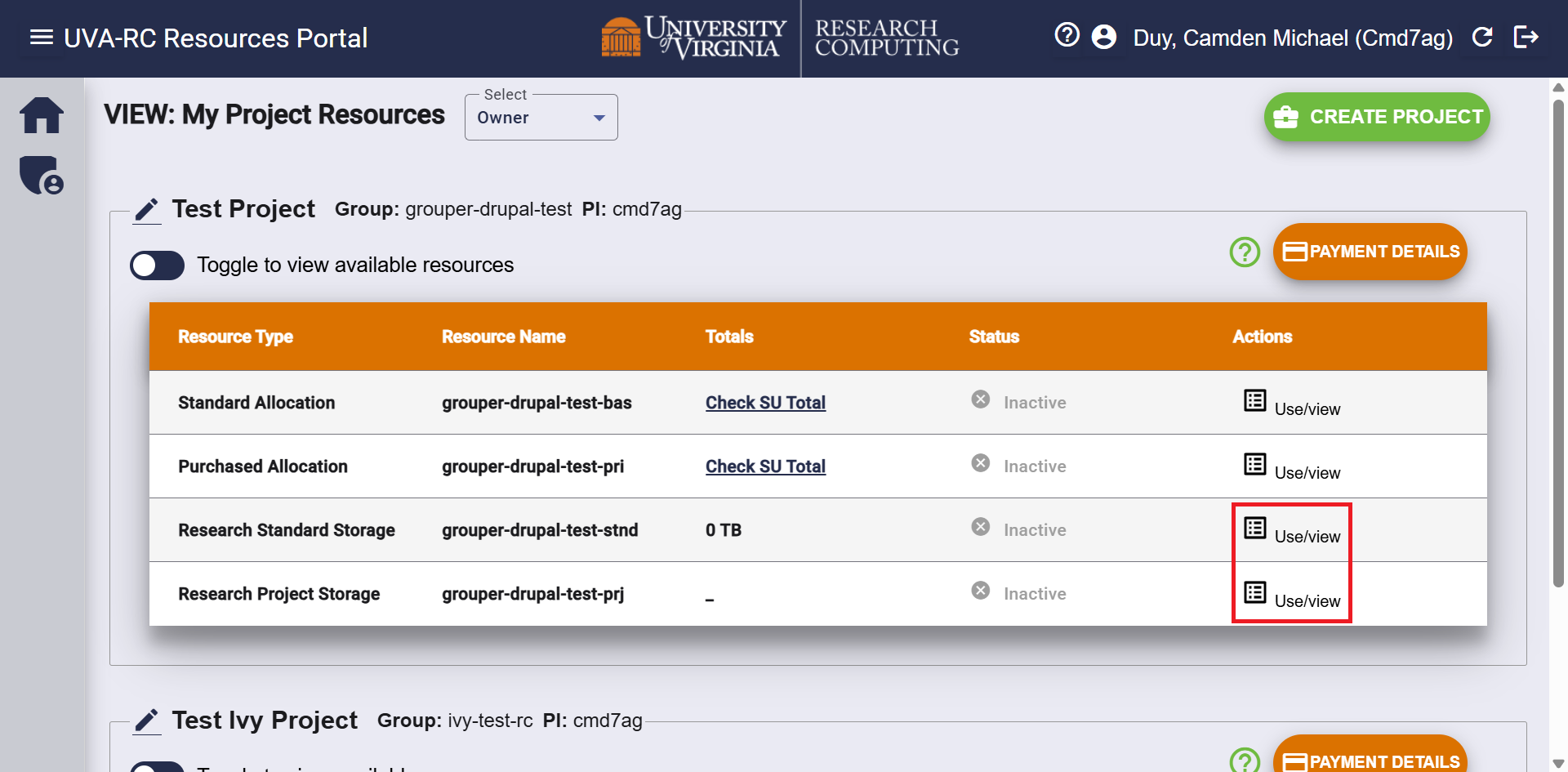
Allocations do not need to be manually retired, since they automatically expire on July 1st of the following year. You can view this date by first selecting the Use/View button under the Actions column for your allocation. The date is in the End Date column.
Retire Storage
To retire your active storage, select the Use/View button under the Actions column for your service.
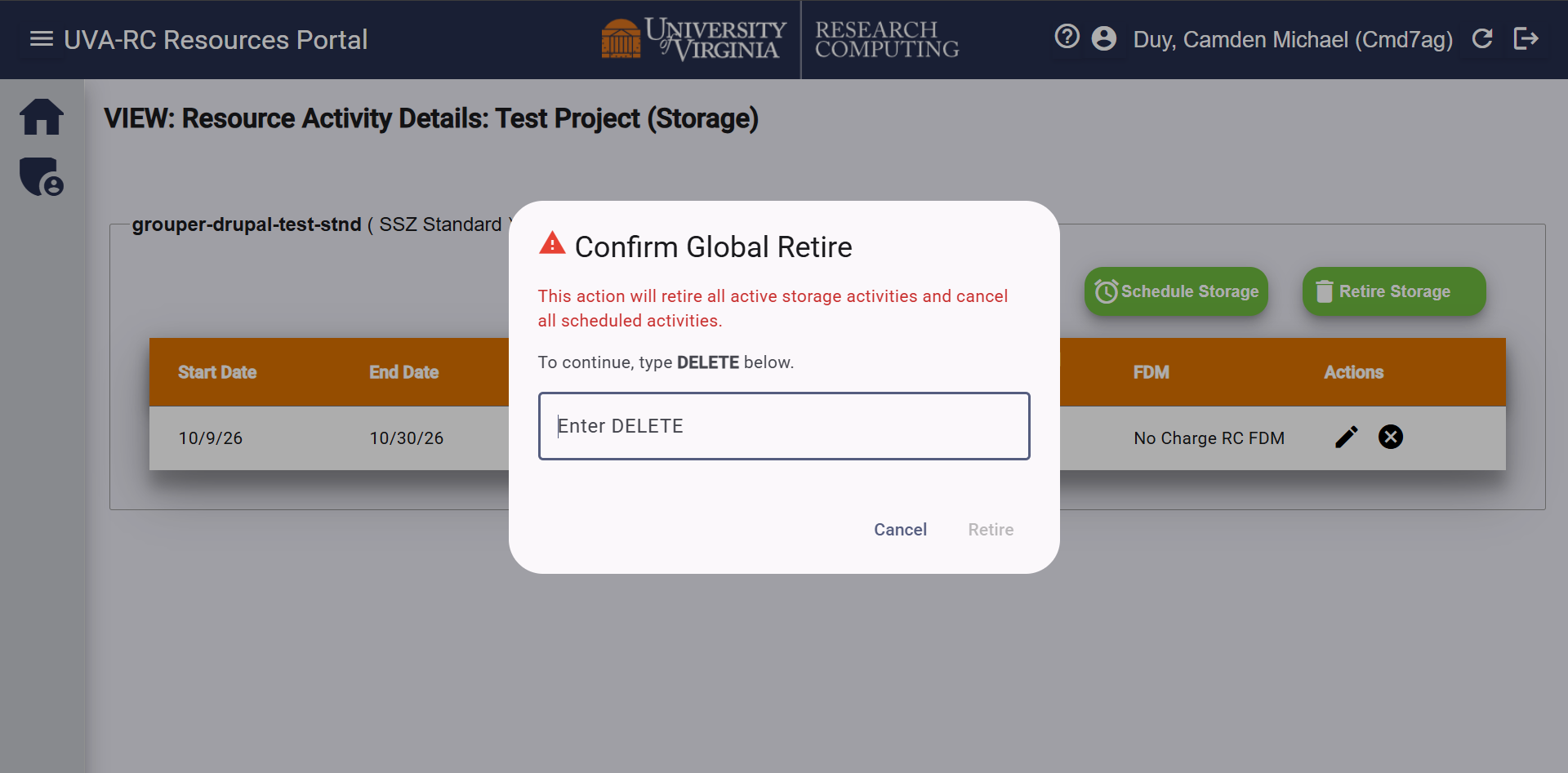
On the storage resource page, click the green Retire Storage button. You will be prompted with a window to type DELETE to confirm that you wish to retire the storage share.
High Security Zone projects will not have the option to retire all of their storage, since the Ivy VM relies on the 1TB of Research Standard storage granted when the VM is created. PIs may retire storage requested separately from this, but not all of it.
Note: Please be aware that when you retire your storage, you are agreeing that you no longer need any of the data that still resides in that storage share. This data will be deleted upon retirement of the storage share and cannot be recovered.